VBA
使用Access VBA可以很方便地查找字符串在文本中最后出现的位置。这对于我们在处理文本数据时非常有用,特别是当我们需要对字符串进行截取或替换操作时。在本文中,我们将介绍如何使用VBA代码来实现这一功能,并提供一个简单的案例代码来帮助读者更好地理解。
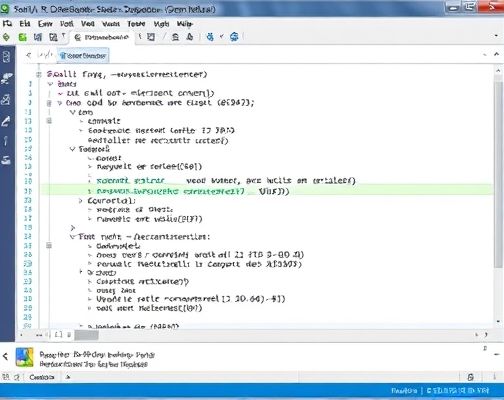
案例代码:下面是一个简单的示例代码,演示了如何使用Access VBA查找字符串在文本中最后出现的位置:VBAFunction FindLastOccurrence(strSearch As String, strText As String) As Long Dim lngPosition As Long lngPosition = InStrRev(strText, strSearch) If lngPosition > 0 Then FindLastOccurrence = lngPosition Else FindLastOccurrence = 0 End IfEnd FunctionSub TestFindLastOccurrence() Dim strText As String Dim strSearch As String Dim lngLastOccurrence As Long strText = "Hello world, hello universe, hello galaxy" strSearch = "hello" lngLastOccurrence = FindLastOccurrence(strSearch, strText) If lngLastOccurrence > 0 Then MsgBox "The last occurrence of '" & strSearch & "' is at position " & lngLastOccurrence & " in the text." Else MsgBox "'" & strSearch & "' was not found in the text." End IfEnd Sub在上面的代码中,我们定义了一个名为
FindLastOccurrence的函数,它接受两个参数:strSearch表示待查找的字符串,strText表示待搜索的文本。函数内部使用InStrRev函数来查找字符串在文本中最后出现的位置,并将结果返回。同时,我们还定义了一个名为TestFindLastOccurrence的子过程,用于测试FindLastOccurrence函数。在这个示例中,我们定义了一个文本字符串strText和一个待查找的字符串strSearch,然后调用FindLastOccurrence函数来查找字符串在文本中的最后出现位置。最后,根据返回结果显示相应的消息框。使用Access VBA查找字符串最后出现的位置在某些情况下,我们可能需要根据特定的字符串来查找文本中最后出现的位置。这在处理文本数据时非常有用,特别是当我们需要根据字符串进行截取或替换操作时。案例说明假设我们有一个包含多个句子的文本字符串,我们想要查找其中最后一个出现的句号的位置。为了实现这个功能,我们可以使用Access VBA中的InStrRev函数来查找字符串在文本中最后出现的位置。首先,我们需要定义一个函数来实现这个功能。函数的参数包括待查找的字符串和待搜索的文本。函数内部使用InStrRev函数来查找字符串在文本中最后出现的位置,并将结果返回。下面是一个简单的示例代码,演示了如何使用Access VBA查找字符串在文本中最后出现的位置:VBAFunction FindLastOccurrence(strSearch As String, strText As String) As Long Dim lngPosition As Long lngPosition = InStrRev(strText, strSearch) If lngPosition > 0 Then FindLastOccurrence = lngPosition Else FindLastOccurrence = 0 End IfEnd FunctionSub TestFindLastOccurrence() Dim strText As String Dim strSearch As String Dim lngLastOccurrence As Long strText = "Hello world, hello universe, hello galaxy" strSearch = "hello" lngLastOccurrence = FindLastOccurrence(strSearch, strText) If lngLastOccurrence > 0 Then MsgBox "The last occurrence of '" & strSearch & "' is at position " & lngLastOccurrence & " in the text." Else MsgBox "'" & strSearch & "' was not found in the text." End IfEnd Sub在上面的代码中,我们定义了一个名为
FindLastOccurrence的函数,它接受两个参数:strSearch表示待查找的字符串,strText表示待搜索的文本。函数内部使用InStrRev函数来查找字符串在文本中最后出现的位置,并将结果返回。同时,我们还定义了一个名为TestFindLastOccurrence的子过程,用于测试FindLastOccurrence函数。在这个示例中,我们定义了一个文本字符串strText和一个待查找的字符串strSearch,然后调用FindLastOccurrence函数来查找字符串在文本中的最后出现位置。最后,根据返回结果显示相应的消息框。通过运行上面的代码,我们可以得到如下的输出结果:The last occurrence of 'hello' is at position 31 in the text.这表明字符串"hello"在文本中最后出现的位置是31。这个简单的例子演示了如何使用Access VBA来查找字符串在文本中最后出现的位置。在本文中,我们介绍了如何使用Access VBA来查找字符串在文本中最后出现的位置。通过使用
InStrRev函数,我们可以很方便地实现这一功能。我们还提供了一个简单的案例代码来帮助读者更好地理解。希望本文对你在处理文本数据时有所帮助!Copyright © 2025 IZhiDa.com All Rights Reserved.
知答 版权所有 粤ICP备2023042255号