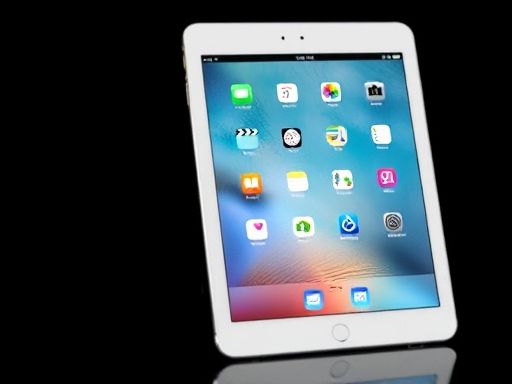
iPad
在使用iPad时,我们经常会遇到一些例外情况。其中之一就是当我们需要在应用程序中使用UIImagePickerController来选择照片或者拍摄照片时,必须通过UIPopoverController来呈现。这是由于iPad的屏幕尺寸相对较大,直接在全屏上呈现UIImagePickerController会导致用户界面不够友好和不便于操作。
使用UIPopoverController呈现UIImagePickerController的案例代码下面是一个简单的示例代码,展示了如何使用UIPopoverController来呈现UIImagePickerController:Swiftimport UIKitclass ViewController: UIViewController, UIImagePickerControllerDelegate, UINavigationControllerDelegate { var imagePicker: UIImagePickerController! var popoverController: UIPopoverController! @IBOutlet weak var imageView: UIImageView! override func viewDidLoad() { super.viewDidLoad() } @IBAction func selectImage(_ sender: UIButton) { imagePicker = UIImagePickerController() imagePicker.delegate = self imagePicker.sourceType = .photoLibrary if UIDevice.current.userInterfaceIdiom == .pad { popoverController = UIPopoverController(contentViewController: imagePicker) popoverController.present(from: sender.frame, in: self.view, permittedArrowDirections: .any, animated: true) } else { present(imagePicker, animated: true, completion: nil) } } func imagePickerController(_ picker: UIImagePickerController, didFinishPickingMediaWithInfo info: [UIImagePickerController.InfoKey : Any]) { if let pickedImage = info[UIImagePickerController.InfoKey.originalImage] as? UIImage { imageView.contentMode = .scaleAspectFit imageView.image = pickedImage } if UIDevice.current.userInterfaceIdiom == .pad { popoverController.dismiss(animated: true) } else { dismiss(animated: true, completion: nil) } } func imagePickerControllerDidCancel(_ picker: UIImagePickerController) { if UIDevice.current.userInterfaceIdiom == .pad { popoverController.dismiss(animated: true) } else { dismiss(animated: true, completion: nil) } }}使用UIPopoverController的优势通过使用UIPopoverController来呈现UIImagePickerController,我们可以获得以下几个优势:1. 提供更好的用户体验:iPad的屏幕相对较大,直接在全屏上呈现UIImagePickerController会让用户界面显得过于庞大,不够友好。而使用UIPopoverController,可以在适当的位置呈现UIImagePickerController,使用户界面更加紧凑和易于操作。2. 方便的多任务处理:iPad上的多任务处理是非常常见的,用户可能需要同时查看其他应用程序或者进行其他操作。使用UIPopoverController呈现UIImagePickerController,可以让用户在选择照片或者拍摄照片的同时,方便地进行其他任务。3. 更好的适应性:通过使用UIPopoverController,我们可以确保我们的应用程序在不同的iPad设备上具有良好的适应性。无论是iPad Mini还是iPad Pro,UIPopoverController都可以根据屏幕大小和分辨率来适应不同的设备。在iPad中,UIImagePickerController必须通过UIPopoverController来呈现,以提供更好的用户体验和多任务处理能力。通过使用UIPopoverController,我们可以让用户更方便地选择照片或者拍摄照片,并且保持应用程序的界面紧凑和易于操作。无论是在大屏的iPad Pro上还是在小巧的iPad Mini上,UIPopoverController都可以确保应用程序的适应性。所以,在开发iPad应用程序时,务必要注意使用UIPopoverController来呈现UIImagePickerController,并为用户提供更好的体验。Copyright © 2025 IZhiDa.com All Rights Reserved.
知答 版权所有 粤ICP备2023042255号