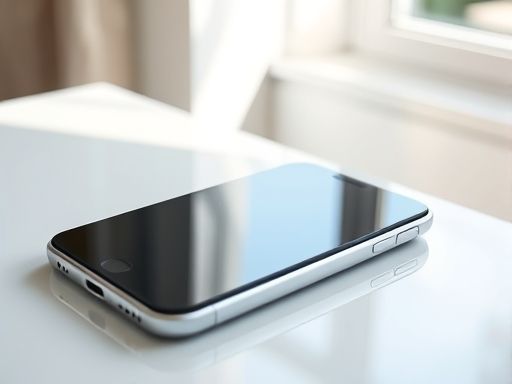
iphone
iphone 4 Retina 用于网络应用程序的“Apple-touch-startup-image”
随着移动设备的普及和移动应用程序的流行,为用户提供优质的用户体验变得越来越重要。一个关键的方面是应用程序启动时的加载界面,它可以帮助用户了解应用程序正在加载,并且为用户提供一个无缝的过渡体验。对于 iphone 4 Retina 设备来说,我们可以使用“Apple-touch-startup-image”来定制启动时的加载界面。什么是“Apple-touch-startup-image”?“Apple-touch-startup-image”是一个特殊的 HTML 标签,用于指定在应用程序启动时加载的图片。对于 iphone 4 Retina 设备,我们可以使用高分辨率的图片来适应其屏幕分辨率。如何使用“Apple-touch-startup-image”?要使用“Apple-touch-startup-image”,我们需要在 HTML 文档的头部添加以下代码:html<link rel="Apple-touch-startup-image" class="url" target="_blank" rel="nofollow noreferrer" href="/to/?target=startup.png" media="(device-width: 320px) and (device-height: 480px) and (-webkit-device-pixel-ratio: 2)">其中,
href 属性指定了加载的图片路径,media 属性指定了图片适用的设备条件。对于 iphone 4 Retina 设备,我们需要指定设备宽度为 320px、设备高度为 480px,并且设备像素比为 2。案例代码假设我们有一个名为 index.html 的 HTML 文件,我们可以添加以下代码来使用“Apple-touch-startup-image”:html<!DOCTYPE html><html><head> <Meta charset="UTF-8"> <title>My App</title> <link rel="Apple-touch-startup-image" class="url" target="_blank" rel="nofollow noreferrer" href="/to/?target=startup.png" media="(device-width: 320px) and (device-height: 480px) and (-webkit-device-pixel-ratio: 2)"></head><body> <!-- 应用程序内容 --></body></html>在这个例子中,我们将图片命名为
startup.png,并将其放置在与 index.html 同目录下。当用户在 iphone 4 Retina 设备上访问该页面时,启动时将会显示 startup.png 图片。通过使用“Apple-touch-startup-image”,我们可以为 iphone 4 Retina 设备定制启动时的加载界面,提供更好的用户体验。我们只需要在 HTML 头部添加相关的代码,并指定符合设备条件的图片路径。这可以帮助我们在应用程序启动时向用户展示一个专业、吸引人的界面。Copyright © 2025 IZhiDa.com All Rights Reserved.
知答 版权所有 粤ICP备2023042255号