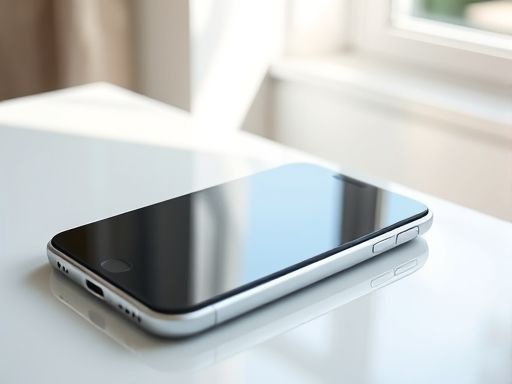
iphone
运行环境: 机器型号:3G iphone 新西兰版本 8G 无锁 SIM 卡:移动神州行卡 固 件:2.1(2.2已测试,完全试用) 地 区:吉林省长春市
首先要实现最基本的Wap功能,也就是QQ和UCweb好用。 1。.通过cydia安装swirlymms 1.2.9 。然后进入swirlymms ,点get demo,获取证书后,填写设置 MMSC:mmsc.monternet.com Proxy:10.0.0.172:80 APN:CMWAP Username: Password: 2。 安装ucweb,具体就不说了。 3。 进入iphone设置中的通用—网络—蜂窝数据网: APN cmwap 用户名 密码 4。重启机器,看一下填写的apn是否还在,测试UCWEB,使用一切正常。然后测试彩信,收发也一切正常。 --------------------现在,依然不能在无WIFI的环境中更新天气与股票,并且safari也不能打开网页----------- 第二步,我们来修改上网文件。 1。proxy.pac复制到private/var/mobile文件夹内,权限不改动。(用户选择root) proxy.pac.zip (252 Bytes ) proxy.pac.zip (252 Bytes) proxy.pac 下载次数: 7442

移动
keyInterface/key dict keyDeviceName/key stringip1/string keyHardware/key stringcom.Apple.CommCenter/string keyType/key stringcom.Apple.CommCenter/string keyUserDefinedName/key stringcom.Apple.CommCenter (ip1)/string /dict keyProxies/key dict keyProxyAutoConfigEnable/key integer1/integer keyProxyAutoConfigURLString/key stringfile:///private/var/mobile/proxy.pac/string /dict keyUserDefinedName/key stringcom.Apple.CommCenter (ip1)/string keycom.Apple.CommCenter/key
4。关闭91,到蜂窝数据里查看cmwap是否还在,如果在就不管他,退出来。 5。先不要重启机器,拨打以下10086查询下话费。 6。重启机器,拨打一下10086查一下话费,查看蜂窝数据里cmwap是否还在,还在应该就成功了。你可以更新下天气和safari上网试一下。 要是都ok说明成功。
Copyright © 2025 IZhiDa.com All Rights Reserved.
知答 版权所有 粤ICP备2023042255号