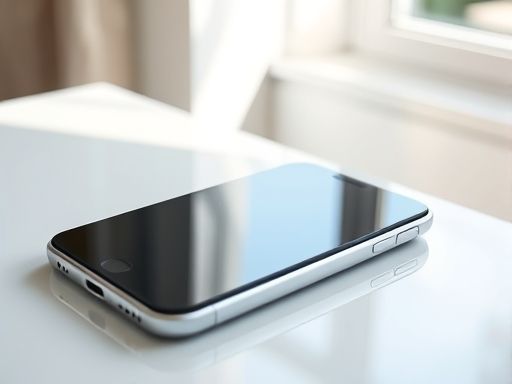
iphone
如何测试 iphone 上的通知是否存在
在开发移动应用程序时,通知功能是一个非常重要的组件。通过发送通知,您可以在用户不活跃的情况下向他们发送重要的信息和提醒。在 iphone 上,您可以使用苹果的推送通知服务(APNs)来向用户发送通知。然而,在实际使用中,您可能需要测试您的应用程序是否正确地接收和处理通知。在本文中,我们将介绍如何测试 iphone 上的通知是否存在,并提供案例代码来帮助您进行测试。设置通知权限在测试 iphone 上的通知之前,首先确保您的应用程序已经获得了通知权限。您可以在应用程序的设置中检查通知权限。如果您的应用程序没有获得通知权限,您可以通过以下步骤来设置它:1. 打开 iphone 的“设置”应用程序。2. 滚动并找到您的应用程序的名称。3. 点击应用程序的名称,然后找到“通知”选项。4. 在“通知”选项中,确保“允许通知”开关处于打开状态。强调一点,如果您的应用程序没有获得通知权限,您将无法正确地测试通知功能。测试通知是否存在一旦您的应用程序获得了通知权限,您可以使用以下代码来测试通知是否存在:Swiftimport UserNotifications// 请求通知权限UNUserNotificationCenter.current().requestAuthorization(options: [.alert, .badge, .sound]) { (granted, error) in if granted { // 注册通知 DispatchQueue.mAIn.async { UIApplication.shared.registerForRemoteNotifications() } }}// 监听通知extension AppDelegate: UNUserNotificationCenterDelegate { func userNotificationCenter(_ center: UNUserNotificationCenter, didReceive response: UNNotificationResponse, withCompletionHandler completionHandler: @escaping () -> Void) { // 处理通知 // ... completionHandler() }}上述代码中,我们首先使用requestAuthorization方法请求用户的通知权限。然后,在权限被授予后,我们使用registerForRemoteNotifications方法注册远程通知。最后,我们通过实现UNUserNotificationCenterDelegate协议中的userNotificationCenter(_:didReceive:withCompletionHandler:)方法来监听并处理收到的通知。测试案例下面是一个简单的测试案例,用于测试 iphone 上的通知是否存在:Swiftimport XCTest@testable import YourAppclass NotificationTests: XCTestCase { func testNotificationExistence() { // 模拟接收通知 let center = UNUserNotificationCenter.current() let content = UNMutableNotificationContent() content.title = "测试通知" content.body = "这是一个测试通知" let trigger = UNTimeIntervalNotificationTrigger(timeInterval: 0.1, repeats: false) let request = UNNotificationRequest(identifier: "testNotification", content: content, trigger: trigger) center.add(request) // 检查通知是否存在 center.getDeliveredNotifications { (notifications) in let notificationExists = notifications.contAIns { (notification) -> Bool in return notification.request.identifier == "testNotification" } XCTAssertTrue(notificationExists, "通知不存在") } }}在上述测试案例中,我们使用UNUserNotificationCenter类来模拟发送一个测试通知。然后,我们使用getDeliveredNotifications方法获取已发送的通知,并检查测试通知是否存在。通过上述步骤,您可以轻松地测试 iphone 上的通知是否存在。确保您的应用程序正确地接收和处理通知对于提供优质的用户体验至关重要。Copyright © 2025 IZhiDa.com All Rights Reserved.
知答 版权所有 粤ICP备2023042255号