
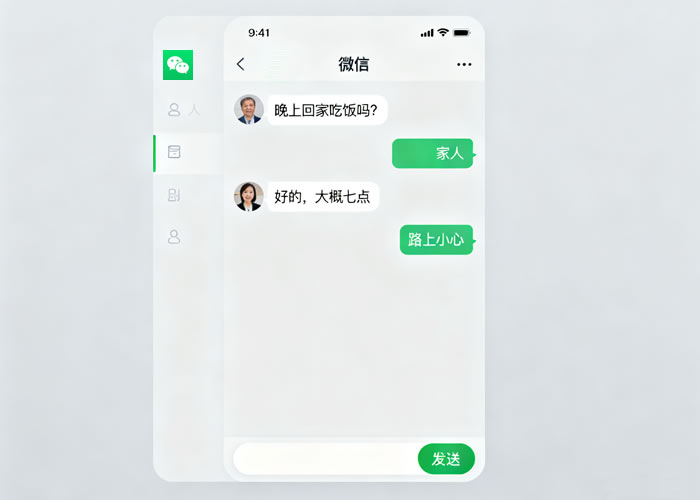
微信
Dreamweaver软件
测试的浏览器(以火狐为例)
网络畅通
方法/步骤将已经写好的代码,在编辑器中预览效果如下(上部边框为代码部分,下部边框为效果预览)。
公众平台图文编辑怎么制作类似微信聊天的对话框
点击第一张图片中图标,将效果预览在本地的浏览器(本案例以火狐浏览器为例)。
公众平台图文编辑怎么制作类似微信聊天的对话框
公众平台图文编辑怎么制作类似微信聊天的对话框
将上下两部分代码拷贝 到编辑器进行操作。代码上半部分:section style=border: none; box-sizing: border-box; padding: 0px; class=tnsection style=border-left-width: 0px; border-left-style: solid; height: 100%; width: 95%; margin-left: 1%; padding-left: 1.5%; padding-bottom: 1px; box-sizing: border-box; font-size: 1em; font-family: inherit; font-weight: bold; text-decoration: inherit; color:black; class=tnsection style=width: 0px; border-right-width: 15px; border-right-style: solid; border-right-color:grey; display: inline-block; vertical-align: middle; border-top-width: 8px !important; border-top-style: solid !important; border-top-color: transparent !important; border-bottom-width: 8px !important; border-bottom-style: solid !important; border-bottom-color: transparent !important; box-sizing: border-box; class=tn
代码下半部分:/sectionsection style=display: inline-block; width: 90%; padding: 8px; border-radius: 0.5em; line-height: 1.5em; vertical-align: middle; font-family: inherit; box-sizing: border-box; background-color:grey; class=tnsection style=box-sizing: border-box; class=tn“微信公众平台图文编辑怎么制作类似微信聊天的对话框…”/section/section& gt;/section/section
将在浏览器下的效果直接拷贝,被粘贴在微信公众号的图文编辑处,可以得到如下图所示的效果。
公众平台图文编辑怎么制作类似微信聊天的对话框
修改此段代码中文字的颜色效果:将代码中“color:black”改为“color:orange”如第一张图所示,并得到第二张图片的效果。
公众平台图文编辑怎么制作类似微信聊天的对话框
公众平台图文编辑怎么制作类似微信聊天的对话框
修改此段代码中文字的对话框背景色效果:将代码中“border-right-color:grey”改为“border-right-color:green”,将“background-color:grey”改为“background-color:green”如第一张图所示,并得到第二张图片的效果。
公众平台图文编辑怎么制作类似微信聊天的对话框
公众平台图文编辑怎么制作类似微信聊天的对话框
Copyright © 2025 IZhiDa.com All Rights Reserved.
知答 版权所有 粤ICP备2023042255号
